 KRILL
Hangar
Ships
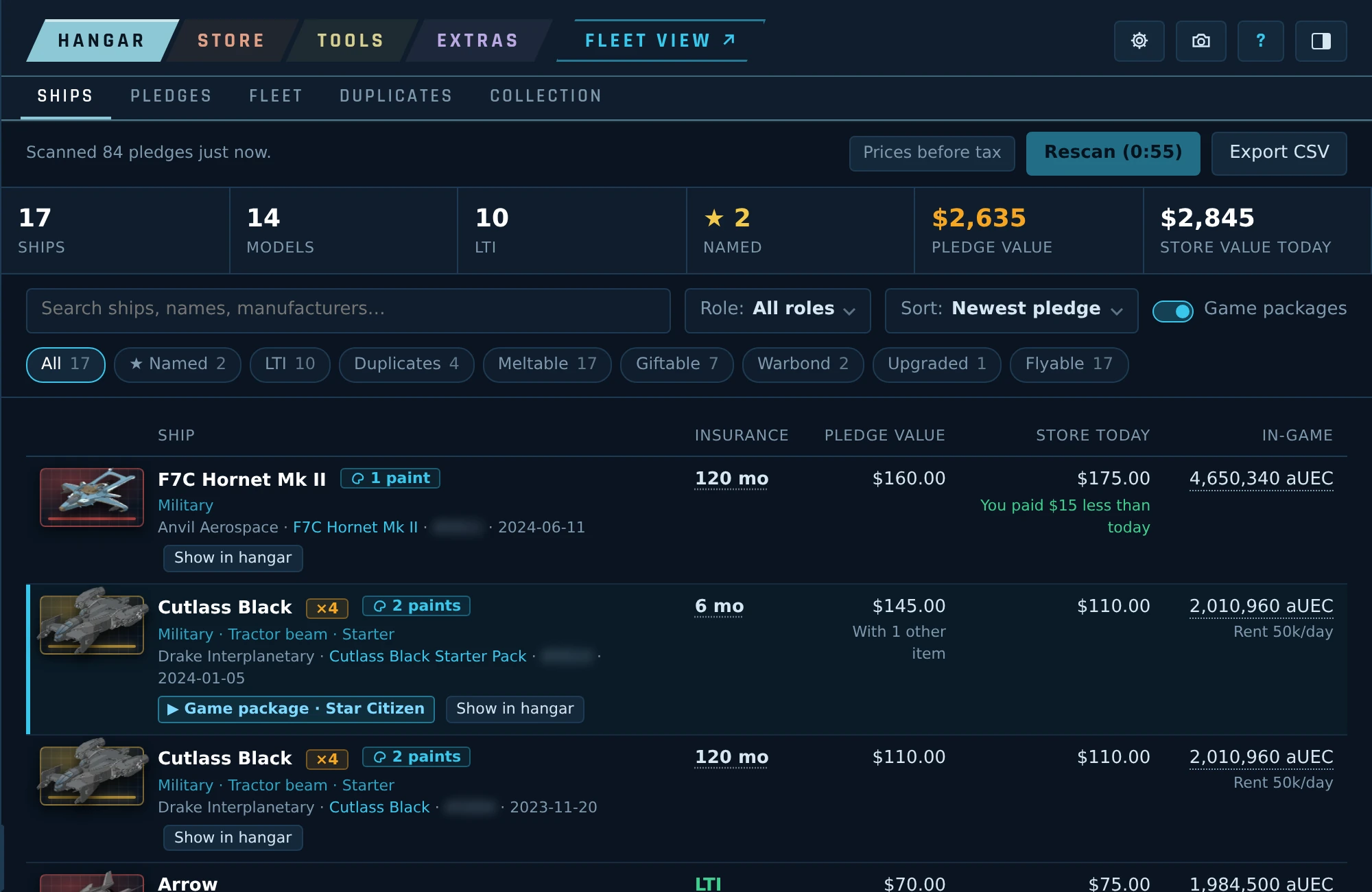
Every ship in your hangar with its picture, insurance and today's price. Filter by role, insurance or edition, and open a ship to see the rest of its pledge.
Browser extension for Star Citizen
Krill adds a panel to the RSI website that reads your hangar and shows your whole fleet in one place: ships, pledges, paints and gear next to everything that exists. Your whole fleet at true size, ready for a picture. Melts, CCU upgrades, duplicates, loadouts and trade runs.
Hangar
Every ship in your hangar with its picture, insurance and today's price. Filter by role, insurance or edition, and open a ship to see the rest of its pledge.
Hangar
Your hangar the way RSI keeps it, pledge by pledge: what is inside, what it is worth today and what you saved. Filters for type, contents and conditions.
Hangar
Your fleet as a whole: the roles you cover, how your hangar grew over the years, insurance at a glance, and the upgrades each ship went through.
Hangar
Ships you own more than once, with a suggestion for which copy to keep and why.
Duplicates and which copy to keep
Hangar
Everything that is not a ship: paints, armor, weapons, clothing, decorations and more, next to everything that exists in the game.
Item lists from UEX and the Star Citizen Wiki.
Fleet view
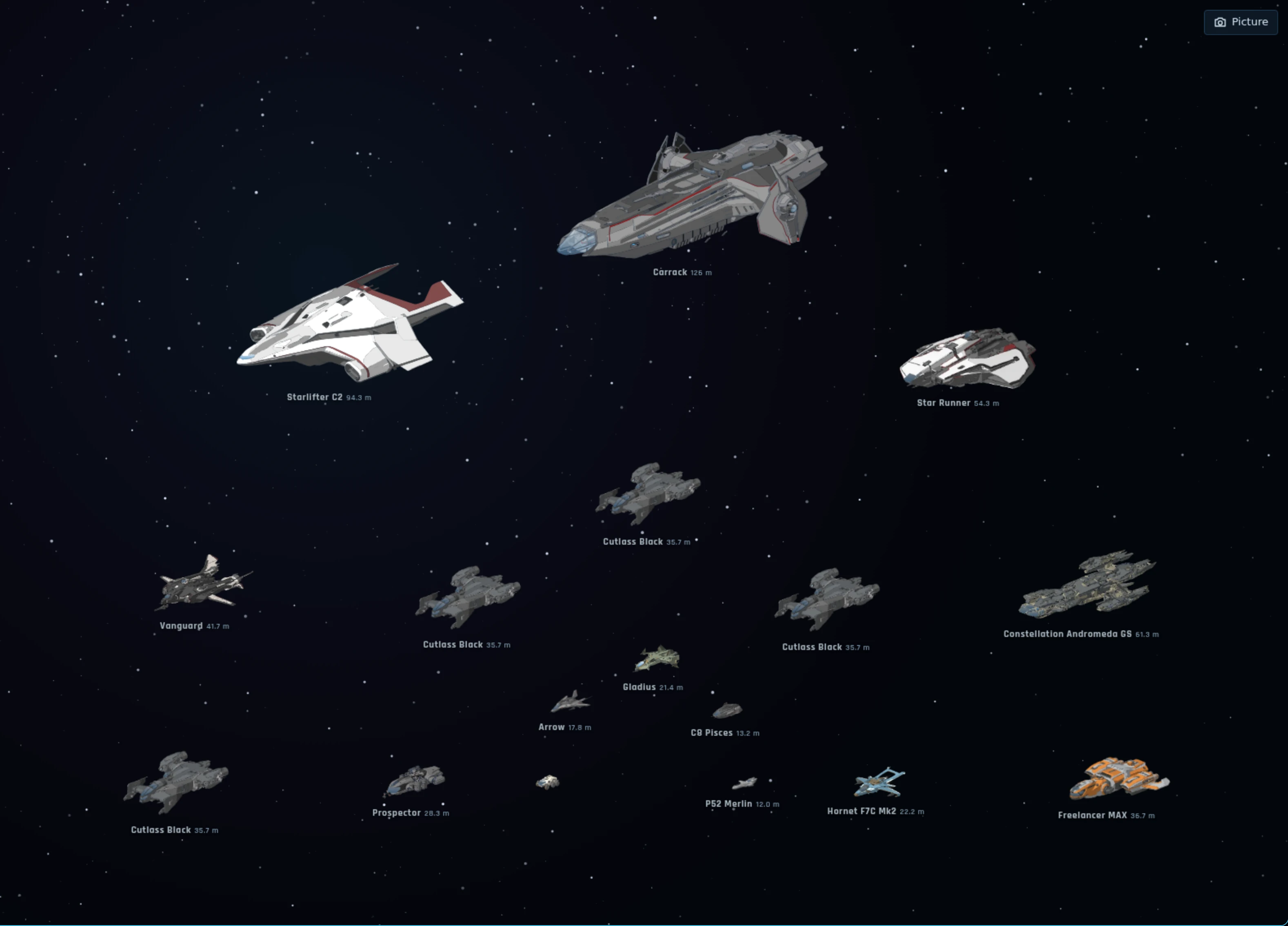
Every ship you own on one stage, at true size and drawn by Krill, straight from your hangar in one click. Arrange them in formations (horseshoe, by role, spiral, rows, tiers, escort and more), turn and space them, put a planet, a nebula or a blueprint grid behind them, and add any of the game's 250-odd ships, unreleased ones included.
Fleet view
Put any ships next to each other to see how big they really are: a line-up nose to tail, or one on top of the other with their lengths marked. A person stands by for scale.
Fleet view
Take a picture of the stage to share, in Full HD or 4K: add a title and a caption with your fleet's totals (ships, crew, cargo, firepower), place them where you like, and see the result before you save it.
The picture, with title and caption, before you save it
Store
Pick a ship you want and see which of your pledges could pay for it, with notes on what each choice means. Save plans in folders and load them back later.
Store
The cheapest way to any ship, starting from the ships and upgrades you already have, with today's deals.
Store
Ships you are after, with a note when they go on sale or get cheaper.
Store
Your buy-back list, searchable and sorted.
Your buy-back list
Tools
Build a ship's loadout from the game's own data. Swap in parts that really fit, pick them on a chart, and compare loadouts and ships side by side.
Game data from the Star Citizen Wiki, shop prices from UEX.
Tools
A shopping list for anything sold in the game, and the shortest trip to buy it all, stop by stop.
Shops and prices from UEX.
Tools
The best trade runs for your cargo ships, with prices players report on UEX.
The best runs per commodity
Prices from UEX.
Tools
What your loot sells for and where, and the game's blueprints: materials, craft or buy, and quality.
Prices from UEX.
Extras
Achievements that grow with your hangar.
Achievements
Extras
Can't decide what to fly? Hangar Roulette picks tonight's ship.
Hangar Roulette
Extras
A bingo card to play along with streams and events.
Extras
Your own notes, kept with Krill.
Your notes, and one opened
Extras
Every ship by the year it first went on sale: how many fly today, how much of their mass, and how long they took. The full chart is one click away, ready to save or copy and share.
Dates from the Star Citizen Wiki.
Getting started
Questions
No. Krill only reads. Anything you do with your hangar, you still do yourself on RSI's own pages.
No, Krill is free.
No. Krill is an unofficial fan project by a Star Citizen player, not affiliated with Cloud Imperium Games.
Report them on the Cognition Discord server. Add a screenshot, or the Debug file from Krill's Settings.